Tools comparison
What each SEO tool is actually for.
Six tools a small business might use. What each one does, what it costs, and where the free ones are enough on their own. We have not tested them head to head, so there is no winner at the bottom.
We make one of these.
EightySixOS publishes this page and sells EightySixOS Solo, so read the rest accordingly. Everything said about the other five links to that vendor's own documentation, and our own entry lists what it cannot do.
The method
How these were chosen.
Not by popularity, and not by what pays us. Four questions, asked of each one.
- 01Can somebody who is not an SEO expert use it without a course first?
- 02Is it free, or cheap enough that a small business could justify it?
- 03Does it do a job a business owner actually has, rather than an agency one?
- 04Is it still being looked after by the company that makes it?
Plenty of good tools fail those questions for a small business and are excellent for an agency. Them not being here is not a criticism of them.
All six, at a glance
The whole comparison, in ten seconds.
Tool
Cost
What it is for
Google Search Console
Free, from Google
See what Google already knows
Your site's built-in SEO settings
Included, or a free plugin
Where you change a page
Ahrefs (free tier)
Free for sites you own
A health check of your site
Semrush
Paid, with a 7-day trial
Deep research on a whole market
Screaming Frog SEO Spider
Free up to 500 pages
Crawl your site, list the faults
EightySixOS Soloours
$79 USD/month, 7-day free trial
Decides what to do this week
Step one
Start with the free ones
Four tools that cost nothing. Between them they show you how you are doing, let you change your pages, and find what is broken. For a small site that is most of the job.
Google Search Console
Free, from Google
Seeing how your site actually performs in Google: which searches show it, how often it is clicked, which pages are indexed, and whether Google has found problems.
It is the primary source. Every other tool on this list is either reading from it, estimating what it already knows for certain, or doing something else entirely. If you install one thing, install this.
It reports and stops. It will show you a page with a lot of impressions and few clicks; it will not tell you that is worth your Tuesday, or what to change.
Your site's built-in SEO settings
Included, or a free plugin
Changing a page: the title and description Google shows, your sitemap, structured data and redirects. Wix, Squarespace, Shopify and Webflow have this built in. On WordPress it comes from a plugin like Yoast or Rank Math.
It is where the change actually gets made, and you already have it. Some go further: Rank Math says it connects to Search Console and tracks rankings, Yoast's paid tier adds redirects and internal-link suggestions, and Wix covers redirects, sitemaps and structured data itself.
It works one page at a time, on the page you happen to be looking at. It will not tell you which of your pages needs the attention, because it cannot see how any of them are performing.
Ahrefs (free tier)
Free for sites you own
A technical site audit, your own top organic keywords and pages, and who links to you, on sites you can prove you own.
Genuinely generous for nothing. Ahrefs states the free tier runs the same Site Audit (170+ issue types) with 5,000 crawl credits per project per month, and says the tools and data are the same as paid.
Free accounts can only analyse sites you have verified, so competitor research needs a paid plan. Site Explorer shows 1,000 backlinks and keywords at a time.
Screaming Frog SEO Spider
Free up to 500 pages
Crawling your site the way a search engine would and listing what it finds: broken links, redirects, duplicate titles, missing descriptions, canonical problems.
For a small site the free tier is often the whole job. Most small business sites are well under 500 URLs, and it covers 300+ issue types.
It hands you a spreadsheet. Deciding which of 300 findings matters is left entirely to you, and that is the hard part for a non-specialist.
Going deeper
When you need deeper research
A different job. This is for finding out what people search for and what your competitors are up to, which none of the free tools above really do.
Semrush
Paid, with a 7-day trial
Research at depth: keyword research, competitor analysis, backlink analysis, rank tracking, technical audit and content tooling in one platform.
Breadth nothing else here matches. If your question is what competitors rank for, which keywords exist in a market, or where their links come from, this is the category of tool that answers it.
It is built for people whose job is SEO. For an owner with an hour a week, the problem is rarely too little data, and this is a great deal more of it.
The decision
When you need help deciding
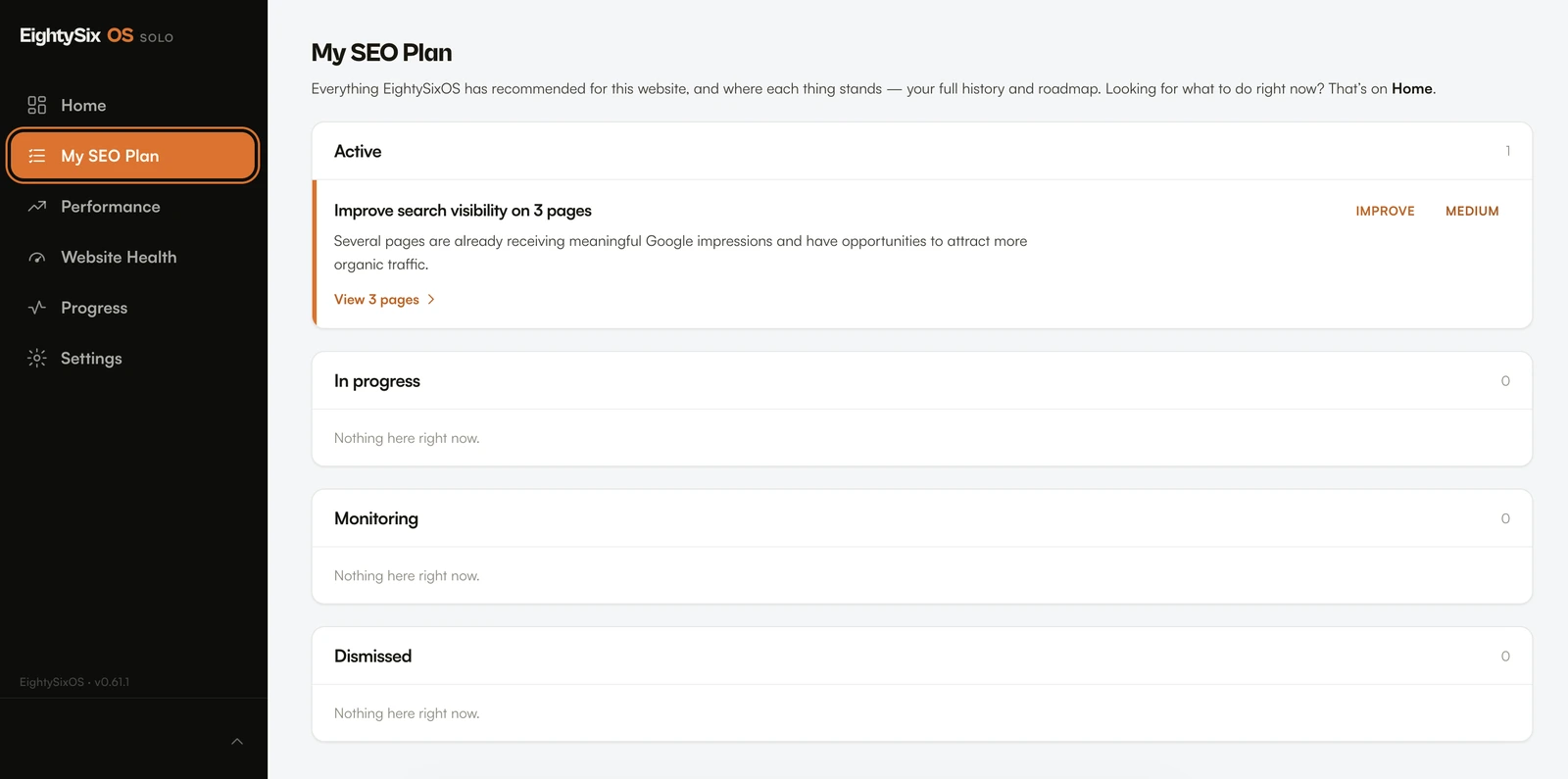
Everything above hands you information. This is the one that looks at it and tells you which two or three things to do this week.
EightySixOS Solo
$79 USD/month, 7-day free trial
This is ours
Deciding what to do. It reads your site and your Google data, picks the two or three things worth your time this week, explains why, and checks whether the change worked.
The judgement step. Every other tool on this list ends where the data does; this one starts there. It is also the only one that tells you afterwards whether what you did made a difference.
No keyword research, no competitor analysis, no backlink index. It does not write your content or edit your site. If you need depth of research rather than direction, the tools above do that and this does not.
Spend nothing
No budget? Start here.
You can get a long way without paying anyone, us included. Most owners should try this first.
Google Search Console
See what you rank for and whether Google can read your site.
Your site's own SEO settings
You already have these. On WordPress, add a free plugin.
Screaming Frog, free version
Crawl your own site. Most small sites fit inside its 500-page limit.
Ahrefs, free version
A technical check of a site you own, once you have verified it.
That is free, and it covers reporting, editing and checking. What it does not do is decide anything. About a month in you will have four tools, four lists of problems, and no idea which three to do this week. That is what paid tools sell, ours included.
Not sure whether to do this yourself at all? Software, an agency, or both
Run a trade or a local service business? What this looks like with six pages
Questions
The ones worth asking.
What is the cheapest useful SEO setup for a small business?
Google Search Console plus an SEO plugin if you are on WordPress, and Screaming Frog's free tier when you want to crawl the whole site. That costs nothing, and for a small site it covers reporting, on-page editing and technical auditing. What it does not give you is anybody deciding what to do first, which is the gap paid tools fill.
Do I need a paid SEO tool at all?
Not necessarily. If you can read Search Console and know what to do when a number moves, free tools cover a lot. Paid tools earn their place when you either need research depth you cannot get free, or you need something to make the decision for you because you do not have the time or background to make it yourself.
Is Semrush or Ahrefs overkill for a small business?
Often, but not always. If you are in a competitive market and genuinely need to know what competitors rank for and where their links come from, there is no free substitute for that and these are the tools that do it. If your question is which of your six pages to fix this week, you will be paying for a great deal you never open.
Why should I trust a comparison written by one of the vendors?
Treat it carefully, which is why the conflict is stated at the top rather than the bottom. What we have tried to do instead of being neutral, which we cannot be, is be checkable: every claim about another product links to that vendor's own page and carries a review date, and the entry for our own product lists what it does not do.
Every claim about another vendor's product comes from that vendor's own page, reviewed on 19 October 2026. Prices and limits are quoted only where the cited page states them, and they change often. We have not independently tested these products against each other, and nothing here should be read as a measured result.
- Google Search Console documentation (developers.google.com)
- Ahrefs Webmaster Tools (ahrefs.com)
- Semrush features (semrush.com)
- Screaming Frog SEO Spider (screamingfrog.co.uk)
- Yoast SEO (yoast.com)
- Rank Math (rankmath.com)
One honest caveat: Screaming Frog's own page is internally inconsistent about which advanced features the free tier includes. The 500-URL limit and the £199 annual licence are stated clearly and are what we have quoted; we have not repeated the disputed detail.