Built in, or on top
They are not the same purchase.
Every website has SEO settings built in somewhere. On Wix, Squarespace, Shopify or Webflow they are in the page settings. On WordPress they come from a plugin like Yoast or Rank Math. Either way, that is where you change a page. EightySixOS Solo is what tells you which page to change, and why.
Side by side
Two different jobs.
People expect these to overlap. Mostly they do not. Here is what each one does.
Built into your site, one page at a time
- Sets the title and description a page shows in Google, from inside your page settings
- On some platforms, scores a page against a keyword you pick as you write
- Builds your sitemap and adds structured data automatically
- Shows how a page will look when somebody shares it
- Manages redirects when you move or delete a page
Outside it, looking at the whole site
- Reads your Google Search Console data and finds which pages are underperforming where
- Checks your site's technical health on a schedule and explains what it found in plain English
- Decides which two or three things are worth your time this week, out of everything it could say
- Explains why each one matters and links to a guide when it needs teaching rather than telling
- Watches whether the change you made actually moved anything, and tells you when it did not
One example
Missing, and worth fixing, are different questions.
Your site's settings can tell you a page is missing its description. They cannot tell you that this is the page lots of people see and nobody clicks, so it matters more than the other nine jobs on your list.
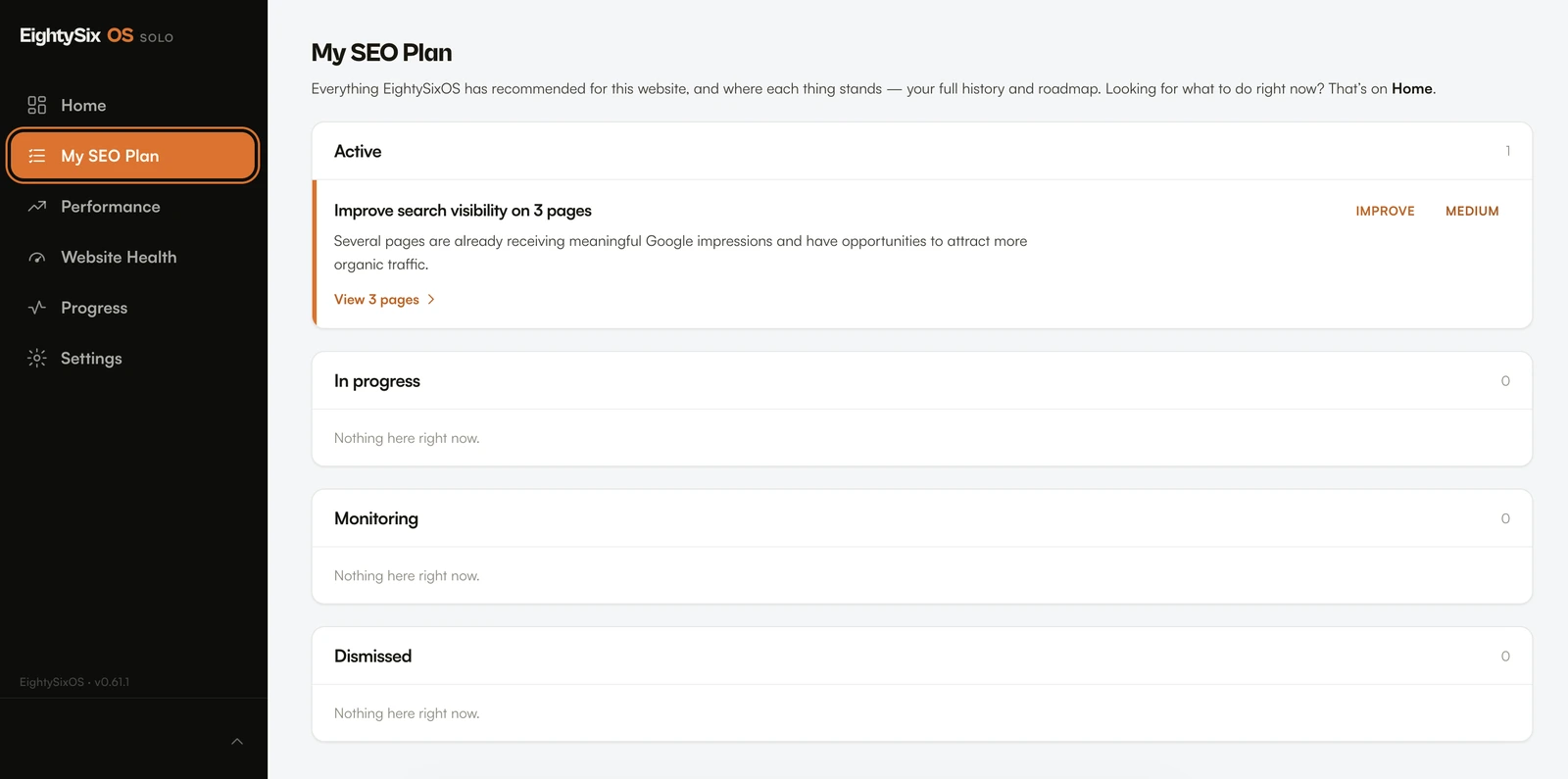
That is the whole difference. One is where you make the change. The other is what decides the change is worth making.
Which one
Which one you actually need.
Your site's own settings are enough if
You can read Search Console, you know which pages matter, and when a number changes you know what to do. Plenty of owners are in exactly that position. Nothing here is trying to talk them out of it.
You want both if
You can see the numbers but do not know what to do about them. Or you have more pages than you have hours, and need something to pick the two that matter this week. You still make the change in the same place you always have.
Neither is the answer if
You want somebody to do the work, not explain it. Both of these still leave the job to you. That is a reason to hire someone, and there is an honest page about that decision. If you would rather see every option first, here is what each SEO tool is actually for.
Questions
The obvious objections.
Do I need to change anything about my current setup?
No. Solo never edits or publishes anything on your website, so there is nothing for it to clash with. Whatever you use now stays exactly as it is. When Solo says a page needs a better title, you go and change it in the same place you always would, whether that is Wix, Squarespace, Shopify, Webflow or a WordPress plugin.
Is EightySixOS Solo a WordPress plugin?
No. Solo works from your website's address and your Google accounts rather than from inside your CMS, so it runs the same whether your site is WordPress, Wix, Squarespace, Shopify or hand-built. That is also why it cannot edit your pages: it has no access to them.
My site says every page is fine. Why would I need anything else?
A green light means the page follows the usual rules for the keyword you typed in. It does not tell you whether that was the right keyword, whether anybody is seeing the page, or whether a different page would be a better use of your afternoon. Those questions need your Google data, which your site settings do not have.
Does Rank Math's Search Console integration do the same thing?
It surfaces the same underlying data, which is genuinely useful. The difference is what happens next: seeing your queries and click-through rates in a dashboard still leaves you to decide what to do about them. Solo's job starts at that point, by picking the items worth acting on and saying what to change.
So when should I not buy Solo?
If your site's own settings plus Search Console already tell you enough, and you know what to do when a number moves, you do not need this. Solo is for the owner who can see the data and still does not know what this week's two jobs are.
What this page says about other products comes from their own documentation, reviewed on 19 October 2026. Wix, Squarespace, Shopify, Webflow and WordPress all handle this slightly differently; the capabilities listed are the ones common across them. Feature sets change, and if something here is out of date that is our error rather than theirs.
EightySixOS publishes this page and sells one of the two things on it. No pricing is quoted for any platform or plugin, and no judgement is offered about which of them is better, because neither is this page's business.